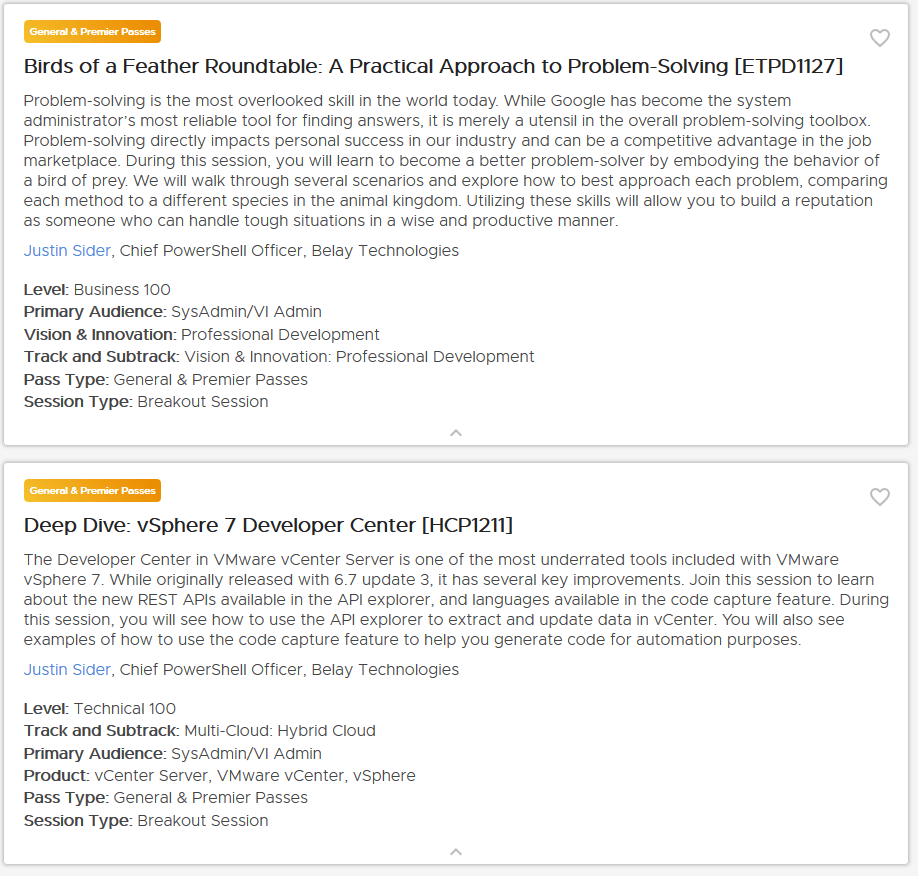
VMUG Connect 2025 | Connect Four | Takeaways

The worst part about VMUG Connect 2025 is that it’s over. It was such a great event that was very unique. I say that because it felt small and personal, but the energy was booming. Its been a while since I have been at a conference and saw so many people interacting, smiling, and generally happy. So cool!

With that said, here are my ConnectFour top takeaways from VMUG Connect 2025!

Content

This was one of my reasons for attending the conference, and the VMUG team delivered. From the opening keynote to the closing panel, the content felt unique and personal. Each session I attended, I took something I could use in my professional development or in my day-to-day activities. It doesn’t always have to feel like I am drinking from a fire hose to have a session that is meaningful and useful. As I talked with other attendees, I got the impression that the feeling was mutual. Of course, there is always room for improvement, but this conference earns very high marks in my opinion.

Hock Tan

The CEO of Broadcom made an appearance at the conference for the closing keynote. The CEO of a multi-billion-dollar (50+ billion, but who’s counting) company made a special trip to St. Louis to speak to a group of 300+ VMUG members. Think about that for a minute and let it sink in. He has a great vision to ensure VMware creates the BEST private cloud for its customers, and while I do not agree with all of his decisions or things he says, I DO believe he will ensure that VMware succeeds! Before the closing keynote, I had the pleasure of having a small group conversation with him, he is a pleasant man who understands all the verticals of business. It was a great opportunity, and I cannot thank VMUG enough for that time.

Community

Look, 2024 was rough. Like really, really rough. But it’s in the past, and we ushered in 2025 with a whole different outlook! The community was very energetic last week. I could not walk around the venue without seeing groups of people talking, joking, carrying on about who knows what. It was amazing. It reminded me of a smaller version of VMworld from the early 20-teens. I was lucky enough to be invited to the Leader Summit, my first. It was a fantastic experience. I met so many new and experienced leaders. While VMware Explore offers you the opportunity to meet folks on your own, the VMUG Leader Summit forced us to interact, converse, and learn about each other. I’m generally a quiet person around new folks, but the VMUG team had us in group activities, which forced us to interact and, most importantly, learn about the other leaders. It is clear to me that Broadcom is 100% in support of the community. They showed up in force to support this conference, and not just people, they paid for any VMUG Advantage member to take a Certification exam! They want to provide the best experience for workers who need to support their products. This just proves to me the community is strong, vibrant, and has a strong future that I am excited to be a part of!

Connections

VMUG Connect increased my personal and professional connections, pun intended. I’m not exactly sure how many new LinkedIn connections and X followers I grew by, but it was more than any other event I have attended. The crazy thing is that I wanted to connect with people. People wanted to talk and connect with me. That is the type of energy this event had. Walking around the venue during the conference or the hotel bars after hours, we just found a place to talk about work, or any other topic that came to mind. It was super cool to meet so many leaders and VMUG members from around the world. Over 50 countries were represented, and I think I learned just as much about other cultures as I did about the tech they support.

Summary

The next Community event cannot happen soon enough. I look forward to talking with my fellow San Antonio leaders to get our next VMUG meeting scheduled. I cannot wait until the next VMUG Connect or UserCon! Thank you VMUG and Broadcom for such a great event!

VMUG Connect 2025 | ConnectFour | Session Picks

April is just around the corner, so it is almost time for #VMUGConnect 2025. I am super excited to be a speaker at the event and see the community thrive. Today I am giving you my #ConnectFour top session picks, one from each of the content tracks.

While I might have picked a few of my favorite sessions, let me be clear – the content and speaker lineup is ON POINT. Here is the full agenda.

Deploying VCF

Best Practices for Operationalizing VCF

I manage multiple medium to large VMware environments. As our organization looks to move to VCF I am looking for every ounce of capability that I can squeeze from the VCF stack. This session is designed to help you discover how you can achieve cost and capacity optimization, review and improve application performance in your local cloud, and to help troubleshoot/maintain a secure/compliant infrastructure. I’m hoping there is a little automation thrown in too!

Use Cases

Hypervisors: The Elephant in the SOC

If you have not checked out the solutions from Vali Cyber, this is your opportunity. Security is on the forefront of every organization’s mind and your VCF environment is just as important as the applications running in your cloud. Austin is going to dive into the depths of the hypervisor security world to give you a glimpse of what an attack looks like and what their tools can do to help prevent it. If you miss this session, be sure to check out their booth or catch Austin in a hallway, you will not be disappointed.

Thriving Tech

VMware{Code} NUC Lab: Build Your Own Affordable VCF Home Lab

Yes, VCF home lab. How many of you test in production? Ok, don’t answer that. The point is, if you had an affordable alternative to learn at home, would you take it? Eric and Frankie are going to dive into a verified VCF build on a NUC for about $900. I’ve had some NUC’s running vSphere in the past, and I cannot wait to see the evolution in order to run the full VCF stack on a single machine. I secretly also love the energy that Franky brings!

Hands on Labs

VCF Operations – Getting more out of it!

You’ve bought it, so you might as well get your money’s worth. Check out this HOL to learn more about the features of VCF that you may not be aware of. As an old school vSphere admin that primarily only used the core products, NSX, vCenter, and ESXi – I am very excited to see what new products are included in my licensing and how they can improve my teams day to day activities.

Summary

Register. Show up. Learn. Network. This is the best value out of a conference you can get.

See you there!

Click here to learn more!

VMUG Connect 2025 | ConnectFour | Reasons to Attend

What are my top four reasons for attending VMUG Connect?

  • Content
  • Cost
  • Networking
  • Speakers

Content

The VMUG Connect agenda is jam-packed with great content. You can choose from four content tracks: Deploying VCF, Tech Use Cases, Thriving in Tech, and Hands-on Labs. Feel free to mix and match your custom agenda – you are not required to follow a track for the entire conference! The VMUG team has reviewed all of the sessions to ensure you get the most value out of your attendance. I’ll post next week my ConnectFour Top sessions from each track that I am looking forward to attending.

Cost

Most Industry conferences average between $2000 to $2500 for a 4-day conference. VMUG Connect registration can be as low as $375 if you are an advantage member. That’s two full days of content for less than one day at another conference. Check out all the registration options, including Exam discounts or even FREE exams – Click here!

Networking

With a smaller, more focused conference, it gives all the attendees the opportunity to really focus in on building personal relationships and potentially access members of the community that are typically busy or preoccupied in the larger conferences. I’m looking forward to catching up with old friends and meeting new people at this conference. I am always interested in learning how people use VMware products to run their businesses or understanding how they might automate a difficult task.

Speakers

Have you seen the lineup of speakers for VMUG Connect? We kick off the conference with Pablos Holman – I cannot wait to listen to him address the attendees. Want to learn more about Pablos? The rest of the speakers are a Who’s who in the VMware community, including Frank Denneman, William Lam, Chris McCain, Steve Athanas, Brenda Emerson, Brad Tompkins, and yes…  Hock Tan, The President and CEO of Broadcom. Check out the growing list here.

You do not want to miss this first of it’s kind Conference! Register Today!

Not the Error I expected! Connect-NsxtServer

Howdy!

It’s been quite a while since I created a blog post. Not sure I would want to say exactly how long. However, today I had a brand new VM that I was using to write some automation with PowerShell/PowerCLI. It took me a few minutes to figure this one out. Maybe it was me?

As I said I set up a brand new machine, updated .net, connected to our internal PowerShell Gallery and installed the latest version of VMware.PowerCLI ~ version 13. The automation I wanted to perform was specifically related to getting some health and status of different pieces of NSX. I ran the following command :

Connect-NsxtServer -Server nsxmgr.local -user admin -password "VMware1!"

The error is below:

Connect-NsxtServer : 13/02/2025 13:15:09 Connect-NsxtServer Unable to connect to the remote server
At line:1 char:1
+ Connect-NsxtServer -Server nsxmgr.local -User admin -Password .......

“Unable to connect to the remote server” – Now being the seasoned system administrator I am, I immediately thought to myself. “ITS DNS!” I was so proud of myself. Finally identified that DNS issue before anyone else! So I opened up a separate cmd window – because for some reason I hate to ping from PowerShell consoles.

Imagine my shock when I was able to ping and resolve the name of the NSX server with no issue. I was so disappointed, disappointed it wasn’t working, disappointed it wasn’t DNS. So I went back to my primary development machine – had no issues connecting to the NSX server. I probably spent more time than I needed troubleshooting the network of this new virtual machine. I checked the MAC address, made sure I could ping the gateway. The error made no sense to me.

Next logical step for me was to connect to a vCenter – that always works.

Connect-VIServer 192.168.0.10 -user administrator -password "VMware1!"

Boom! Oh wait…. An error? What is wrong with me today?

Connect-VIServer : 13/02/2020 13:21:46  Connect-VIServer                Error: Invalid server certificate. Use Set-PowerCLIConfiguration to set the value for the InvalidCertificateAction option to Prompt if you'd like to connect once or to add a permanent exception for this server.
Additional Information: Could not establish secure channel for SSL/TLS with authority .....

This is an error I have seen many times before. For some reason I did not think to set the PowerCLI configuration on this new machine, knowing I was only going to be connecting to NSX. I ran the following command:

Set-PowerCLIConfiguration -InvalidCertificateAction Ignore -ParticipateInCeip $false

Now I was able to run the command to connect to the NSX server.

Connect-NsxtServer -Server nsxmgr.local -user admin -password "VMware1!"

I was back in business and quickly completed the deployment of my scripts to check on those health and well being of our NSX items.

The reason this caught me off guard was that with the same “Verb” and essentially the same module – I got different errors for the same underlying issue.

Hopefully someone reads this and finds it useful. It is not by any means a new issue. Just a fun little problem I ran across taking things for granted.

10, I give Belay Technologies a 10!

Blink, Blink. BOOM. It is amazing how fast time flies. This month I celebrate 10 years at Belay Technologies.  Words that come to mind when I hear Belay are Respect, Support, and Success.

In our industry this is a pretty long stretch, people are constantly changing companies whether it is due to contracts ending, money grabs, or just looking for new work. I’ve been lucky enough to be on a project that continues to interest me. I enjoy coming to work each day. I also work on a team filled with great people, both on a technical and personal level. We all work well together and enjoy the atmosphere in the office. A lot of these coworkers I also call friends. It’s always a great feeling to drive into work each day and think you are hanging out with friends vs. the feeling you hate the environment and just need to pound a keyboard for 8 hours. When you have a great group of folks it’s easy to ensure the project is successful.

The other nice piece about working for a small company is that you can help shape the company. I’d like to think that I have been a big contributor to how our company operates, how we treat and incentivize our employees, and to our overall success. I’m proud to wear our branded apparel each day. Our company is well respected in our industry for all of the great work that we do, and that’s important to me.

Belay has always supported me; they have listened to my concerns, and have always offered to help in any situation that may have popped up in my personal life. They also afford me the opportunities to spend loads of time with my family and participate in my hobbies. They also allow me to participate in technology communities, encourage my participation in open source projects, and volunteer at our children’s school.

As I look down at the young man in the picture on my original badge, I get to reflect on the past 10 years. The people I have interfaced with and all of the good things I have accomplished through my work. I’m proud of who I have become, the journey I have taken, and I am excited about the future.

VMworld 2021 – Imagine That …..

Imagine that …

  • You had an opportunity to attend VMworld for free.
  • You can attend from the comfort of your home.
  • There were over 800 sessions at your finger tips.
  • There are live VMware Code Sessions.

This year VMworld is again a virtual conference and while I will miss seeing my friends, I know I will make the best of this opportunity. You should as well!

This year I will be presenting a live VMware Code session focusing on improving your PowerCLI/PowerShell knowledge.

My session is titled Loop Swoop and Pull – PowerCLI will be as Easy as Tying Your Shoes! [CODE2744]

Tune in to learn all about the basic types of PowerShell loops and how to use them in your PowerCLI scripts.

I’m really looking forward to this years virtual event! VMware and VMworld NEVER disappoint!

See you there!

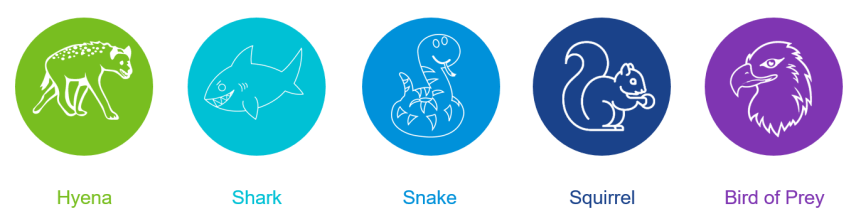
What is your Problem Solving Spirit Animal?

Are you registered for VMworld 2020? You should be! There are over 900 sessions, Hands on Labs, and much much more!

I have a couple On-Demand sessions this year. I’m specifically referring to session #ETPD1127. In this session I break down different problem solving strategies that will help with your professional development. Whether it is understanding the methods you use to solve problems, or if you are evaluating your co-workers in order to help improve the team dynamic.

Check out the session then tag me on Twitter and let me know what your #ITAnimal is! I hope you enjoy the session and VMworld 2020!

Feel free to grab one of the following images.

Hyena

Shark

Snake

Squirrel

Bird of Prey

Flying Squirrel

Start-Hackathon | Invoke-Fun

What would VMworld be without a Hackathon? -> Boring!

For the past several years, I have been a participant in the VMworld Hackathon. Year after year, it has been a great experience. I have been a participant, team captain, but every year, no matter what I come out a winner!

These types of events build confidence and character. It motivates me to try new things and think of different ways to solve problems.

I am always impressed by the projects that folks choose to work on and how much work can be completed in just a few hours.

This year is going to be a little different since it will all be virtual. However, I LOVE the concept that was chosen:

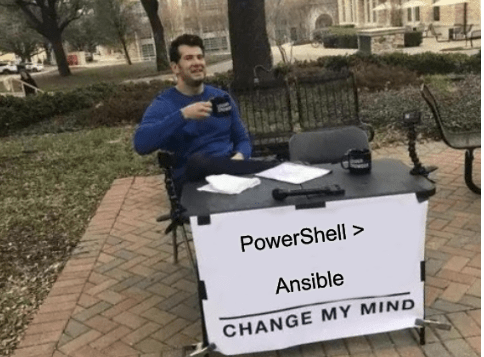
 Ansible vs. PowerShell

While I would consider myself quite crafty with PowerShell, there is something that has been appealing about Ansible for a while. Nevertheless, I have yet to meet someone that could convince me to use it. I feel as though I can do it better or faster with PowerShell. Yes I am aware that they are not specifically meant to solve the same problems. That does not keep me from trying!

The Hackathon will be a little different for me as well.

I am a Judge for the very first time! It is very exciting.

I know all about what the experience as a participant is like, the stress of coming up with a good idea, or choosing the right team, scoping a project so that it can be completed in a night. Making sure that everyone on the team has some work to complete, that the demos will work, not forgetting to eat and drink!

However, with all of the stress comes a great reward, the sense of accomplishment, community and fun.

I am looking forward to meet that someone, or team of folks to convince me that I should invest some time learning about Ansible.

So you should register, pick a topic, and have some fun with the VMware Code Community!

I cannot wait to see what the community can come up with this year!

See you there!

VMworld – Makes Me Smile

VMworld 2020 is rapidly approaching. And while this year might look a little different, the outcome of YOUR event will depend on you. Just like every other VMworld in the past I will attempt to make the most of my experience at during the conference.

With the COVID-19 pandemic rocking the entire world this year, I knew that the in-person conference schedule would be different this year. Whether conferences were cancelled, or if they moved to a completely online event, my conference year would be impacted. I enjoy the traveling, and being able to completely throw myself into several days of learning new things (while not at work). I enjoy meeting new people, seeing old friends, talking shop and leeching off the passion of other folks to rejuvenate my own love for IT.

I was heartbroken when I first learned that VMworld would be 100% virtual. I was angry, sad, confused… All of the emotions. Keep in mind this news was coming out before the annual email that my sessions were rejected. So I am used to bad news, but I was hoping the pandemic would have been settled down, and that VMworld could still be my fun, in-person, end of summer event. So I kinda forgot about VMworld for 2020.

Fast-forward a few weeks and to my surprise I received emails that not one, but two of my VMworld 2020 sessions were accepted. WHAT?!?!? That’s CRAZY, and to think that there will be no stage, it will be a virtual event. I was still torn on whether or not I was going to even register for an all virtual VMworld, but now I have the opportunity to present. The internal struggle was real, I needed to give this more thought! So as I talked to my wife about it and what I realized is this:

VMworld – makes me smile.

For me, VMworld is much more than just an IT conference. It is my annual pilgrimage that resets my biological IT clock. VMworld truly (re)kick-started my IT career in 2011, so I treat it with the utmost respect. I thought back to why I attend VMworld each year, what I look to get out of the conference, and what it would mean if I didn’t give it my best effort.

The truth is, I would never turn down an opportunity to present, not at VMworld or any other conference, whether it’s in person or online. I will always attempt to give back to the community that has motivated me to get where I am today. As I wrap up the final draft of my presentations I am more excited for this VMworld than any of the previous events I have attended, because I have the opportunity to change someones perspective, motivate them to learn more, dig deeper, or try something new.

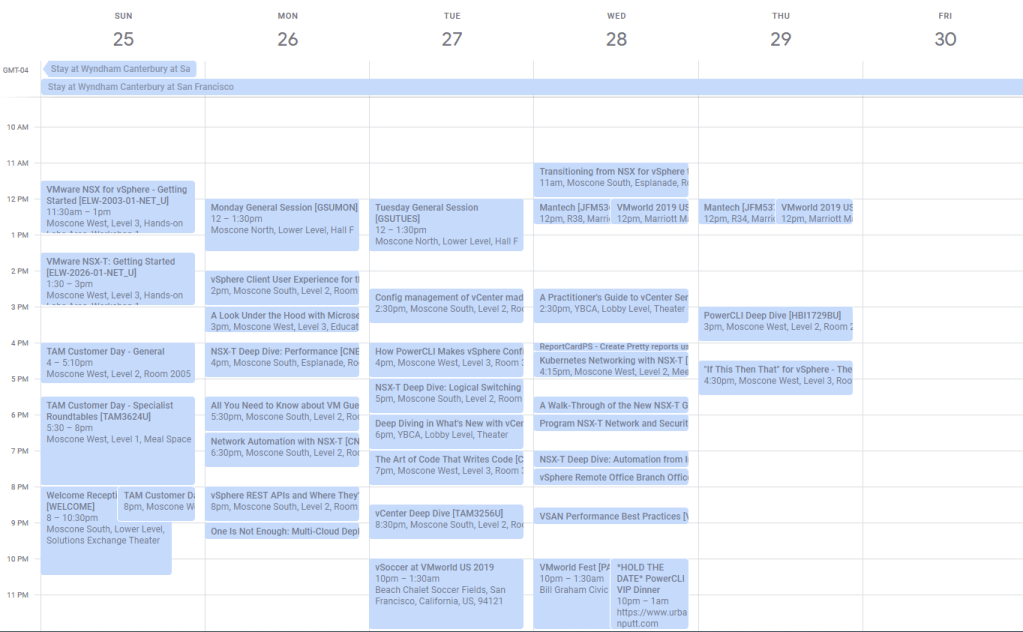
There are over 800 900 sessions at VMworld this year, which is an insane amount of material. But the reality is that it only takes 1 session to change a life. Maybe its a session on PowerCLI, Kubernetes, vCenter performance, etc, it really doesn’t matter. So as you sit at home, find one session, or two sessions, take the information in, and make a change in your life. Learn something new, don’t get overwhelmed with all of the information that is available. Make VMworld 2020 YOUR event. It does not need to be crazy like my calendar from last year:

I fill the empty space with Hands on Labs!

Things about VMworld that make me smile:

  • Signing up for Sessions in the Schedule Builder
  • Seeing my name in the Content Catalog
  • Joining wait lists for popular Sessions
  • Organizing and filling my entire Calendar for the week
  • Attending Sessions
  • Hands on Labs
  • Solutions Expo
  • vBrownBag Stage
  • The VMware {Code} Hackathon
  • The Hall Crawl (I’ll create my own this year!)
  • Saying Happy New Year to Alastair Cooke
  • Planning my recovery day on the Friday afterwords
  • Many more things

So if you are still considering whether or not to virtually attend VMworld 2020 – Register today! Watch a few sessions, and ‘Shape Your Future’

Check out my Sessions in the Content Catalog:

Also, mark your calendars for the very first VMware {code} CODECON 2020 which immediately follows VMworld 2020. It is going to offer 2 full days of LIVE presentations!

VMworld 2020 will look and feel a bit different. However, it will absolutely deliver the digital content you are looking for in 2020!

The v.G.O.A.T.

Recently there has been an uptick in conversations surrounding the G.O.A.T. With the live sports world essentially halted, ESPN and the rest of the sports channels are replaying old games and focusing on some of the greatest and most popular players of each sport. Yes, I still have normal cable. Being a pretty big sports fan it’s been a pretty good filler in the absence of live sports. I’ve enjoyed watching ‘The Last Dance’ which focused on Micheal Jordan, ‘Tiger Slam’ focused on Tiger Woods and some others like Gretzky, Mike Tyson Cal Ripken. As a nostalgic sports fan it has been great. 

So this is a tech blog right? So all of these shows had me thinking about who in the VMware community is the G.O.A.T., or the IronMan, a person that you would want to aspire to be like. Knowing that you may never reach that greatness! But who makes me want to hit the keyboard, and create something cool, or automate that strange thing to save me a few mouse clicks, etc.

While I think that the VMware community is full of great folks, it is a very large community with a lot of positive attitudes that are willing to help. I can say that honestly as I have been around for quite a while and participate(d) in several other communities that aren’t as well established. 

The person that jumps out at me is William Lam. He is head and shoulders above anyone else in the community. He is the vGoat.

So what makes William the v.G.O.A.T.-? Several things.

  • Longevity
  • Quality Content
  • Nobel Intent
  • Generally speaking, a really nice person

Longevity

His blog https://www.virtuallyghetto.com/ has been around for over 10 years. Honestly, I would love to see the stats his blog generates. I’m happy when I see 10-15 views per day on my blog, lol. He’s a machine.

Quality Content

He is an expert. He is intelligent. His blog posts reflect this. The content of his posts are detailed and consumable. Whether it be a new feature, troubleshooting a common problem, or just something cool that he has been working on, his writing style allows you to be immersed in the content to understand the purpose of the blog post. The level of automation that he is able to achieve across a wide variety of technology is pretty amazing when you step back and take a look. His knowledge spans many products, not a stove pipe. His knowledge is deep, not just wide. The frequency of the content is also something to note. This is where I’d love to see his stats again, but I would venture to say 1-2 blog posts a week is normal if not a bit low.

Nobel Intent

While I cannot speak for William, I truly believe his goal is to educate everyone. He wants to share the solutions he works on, and make life easier for anyone that uses the products he touches. He cares, about his work, helping others, delivering great products, great content, etc. The word ‘Passion’ comes to mind when I think of him. He is so energetic about his work, it addictive, it excites me to jump back into something I am working on.

Generally speaking, a really nice person

I have had the pleasure of talking with William over the years and its a pleasure. He is a kind person. Loves to talk tech stuff, he is interested in learning about those edge cases and weird scenarios you may have. 

The tech oozes from his soul. That is something I appreciate. 

So Check out his blog and follow him on Twitter, or vGhetto. You will never be bored.

The Great ones always stand out. Thank you for all that you do William.